MDash is a writing app and Markdown notes editor for iPhone, iPad, Mac and Apple Vision Pro. Write a book in chapters, with comments, characters and a daily word target, or keep everyday notes that look finished while you type, yet stay plain Markdown underneath. Draw Mermaid diagrams from plain text, write LaTeX math, link notes with [[wiki-links]], sync with iCloud and read on Apple Watch and Apple TV.
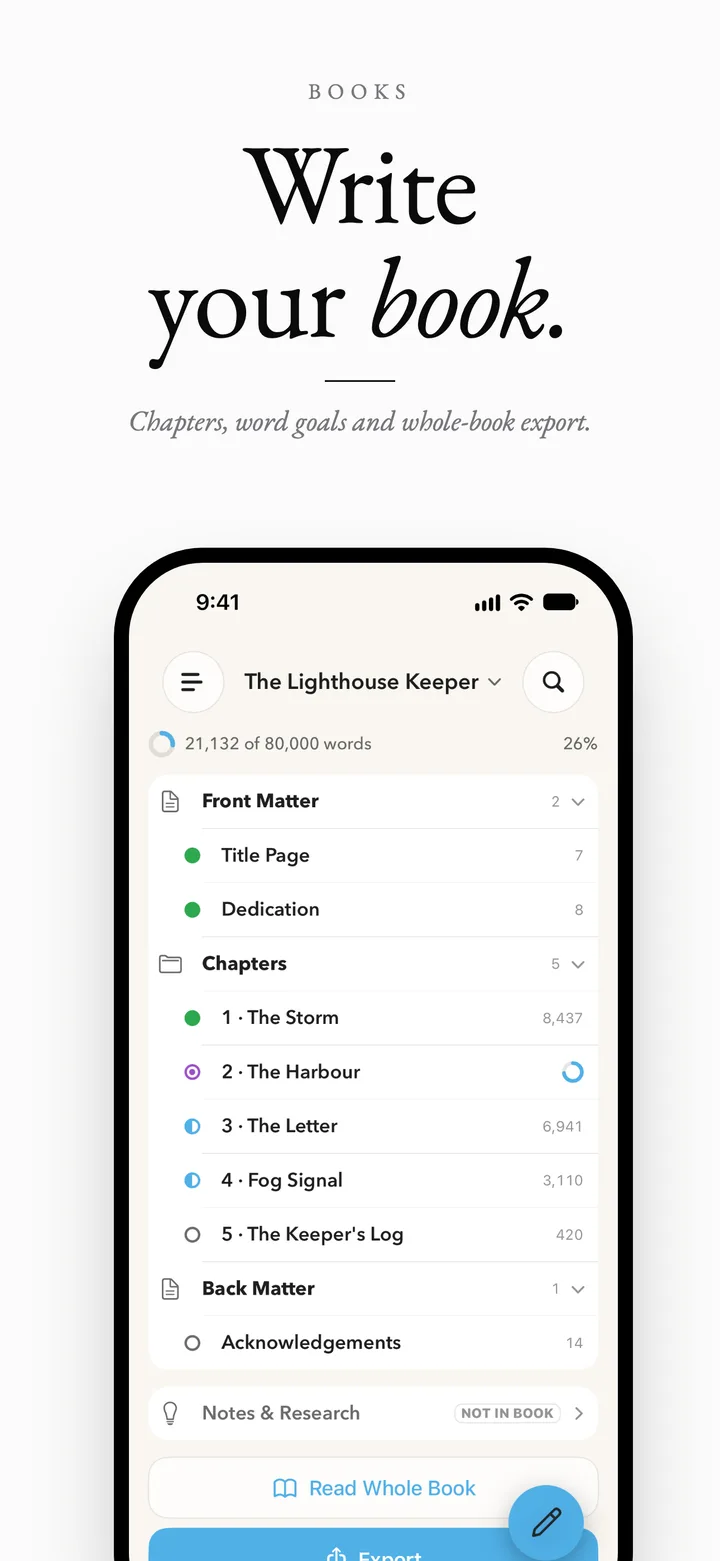
A book keeps its chapters in groups such as Front Matter, Part One and Back Matter, next to Notes & research and a Characters & places area. Every chapter is an ordinary note, written in the same editor. Set a deadline or a daily number of words, and MDash tells you each day how many words today needs.
Character and place sheets, linked to the chapters that mention them
Comments in the text that never reach the book, an export or a word count
A daily target with your writing days, a streak and an optional reminder
Read whole book, and export to Markdown and plain text, or EPUB, DOCX and PDF with MDash Pro
A "How to use Books" note appears in your library once and walks through all of it
MDash Mode
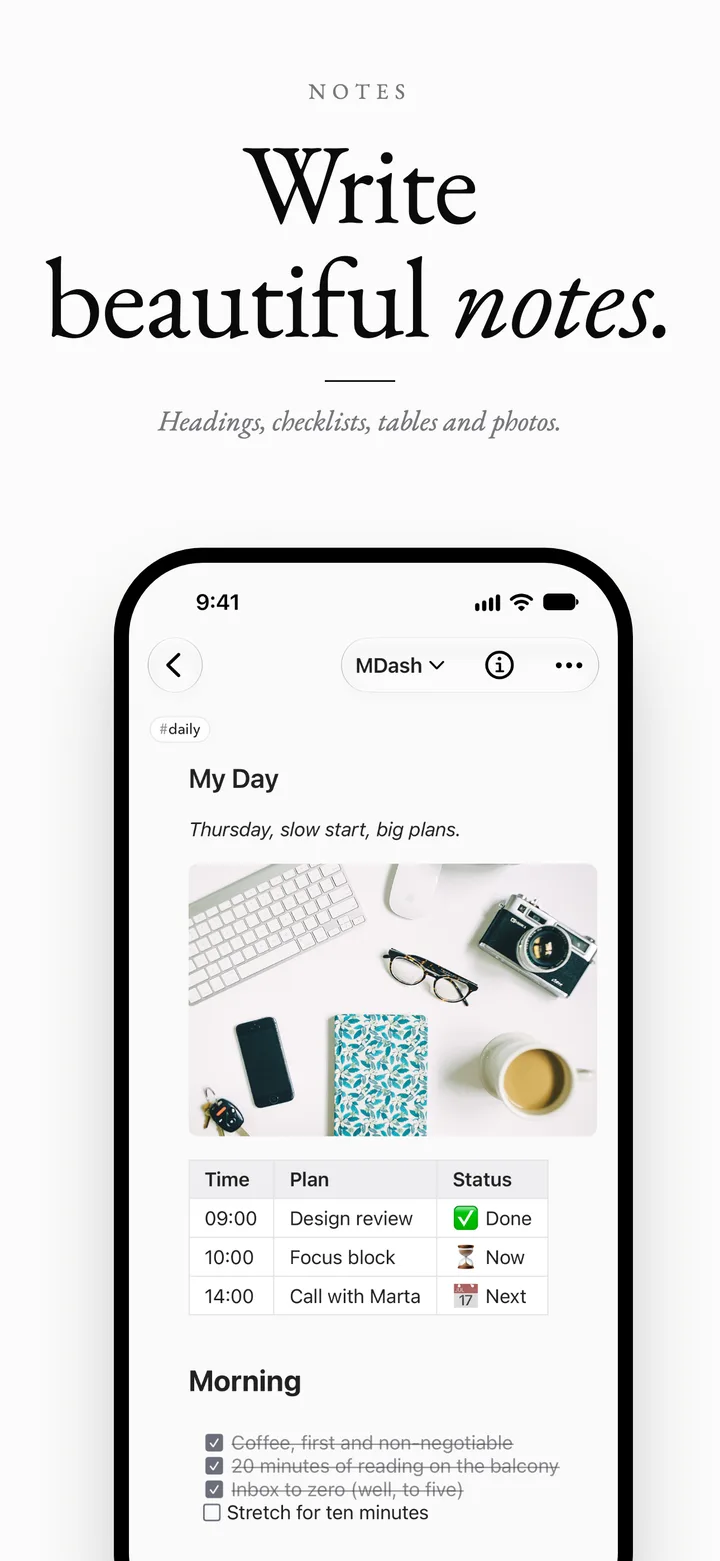
Markdown that looks finished as you type
MDash mode is the default editor. Type # for a heading, - [ ] for a checklist, or paste from Safari, Mail, Pages, Google Docs or Word and keep headings, lists and links. Type / at the start of a line for the insert menu. The file underneath never changes: it is plain Markdown, byte for byte.
Switch between MDash, Markdown and Classic editors at any time
Rich paste turns formatted text into clean Markdown
Floating formatting bar on iPad and Mac, docked at the bottom or either side
Typewriter Scrolling keeps the line you're typing in the middle
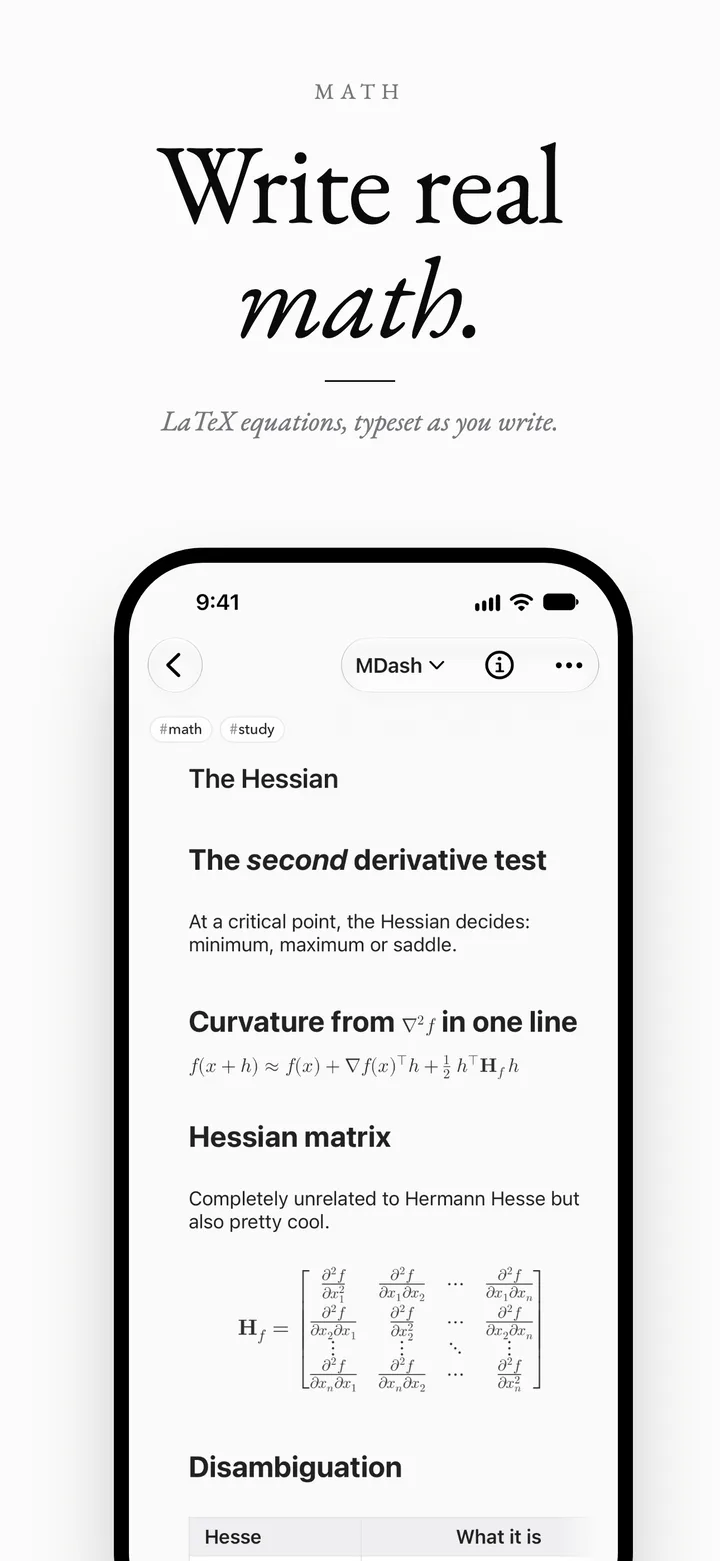
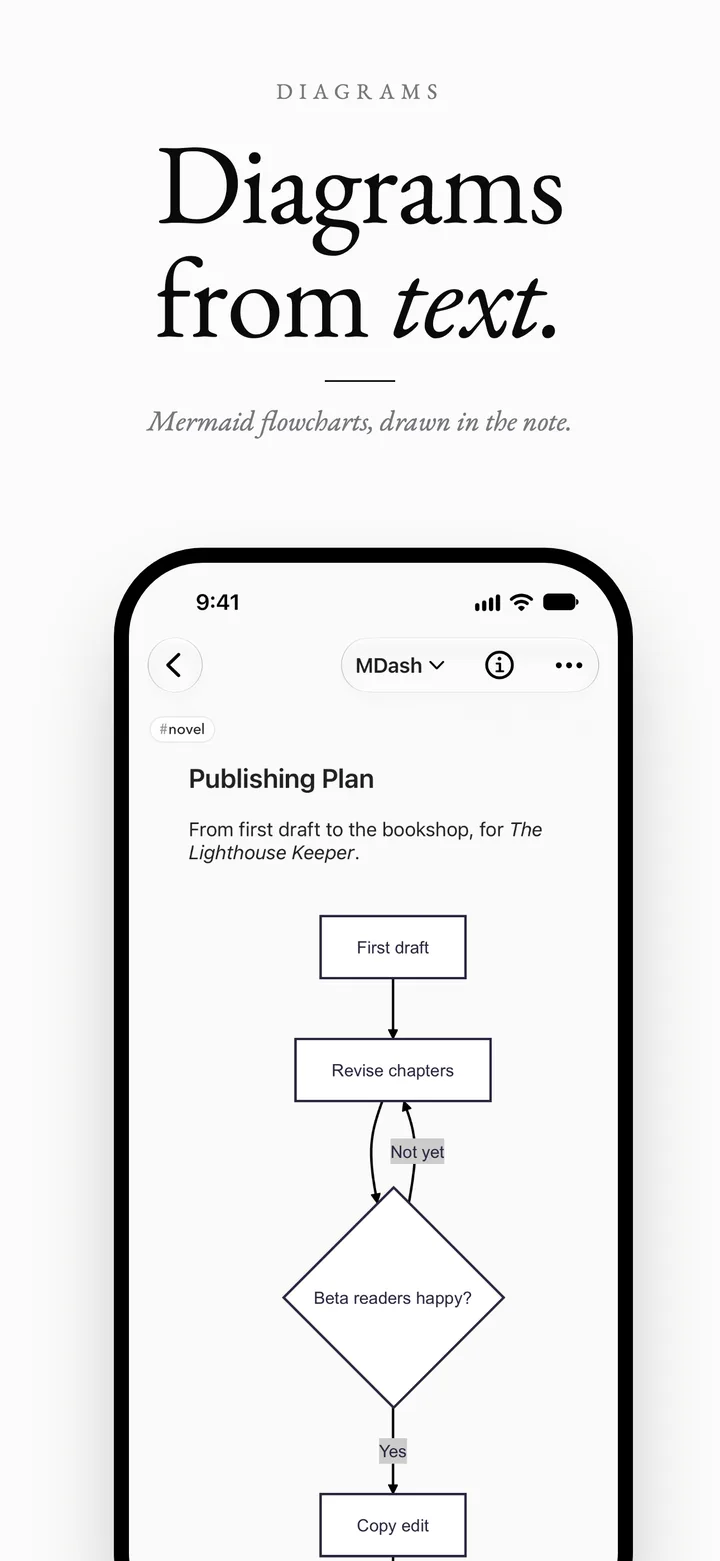
Mermaid diagrams & LaTeX math
Diagrams and equations drawn from plain text
Describe a flowchart, sequence diagram, Gantt chart, state machine or mind map in Mermaid and MDash draws it instantly, right inside the note. Write LaTeX formulas and they render the same way. Rendering is built into the app, so nothing leaves your device.
Mermaid rendering is free for everyone
Four Diagram Colors palettes for light and dark
GitHub-style callouts for notes, tips and warnings
Math and diagrams carry through to PDF, Word and HTML exports
Built-in MCP server · Mac
Your notes, ready for your AI assistant
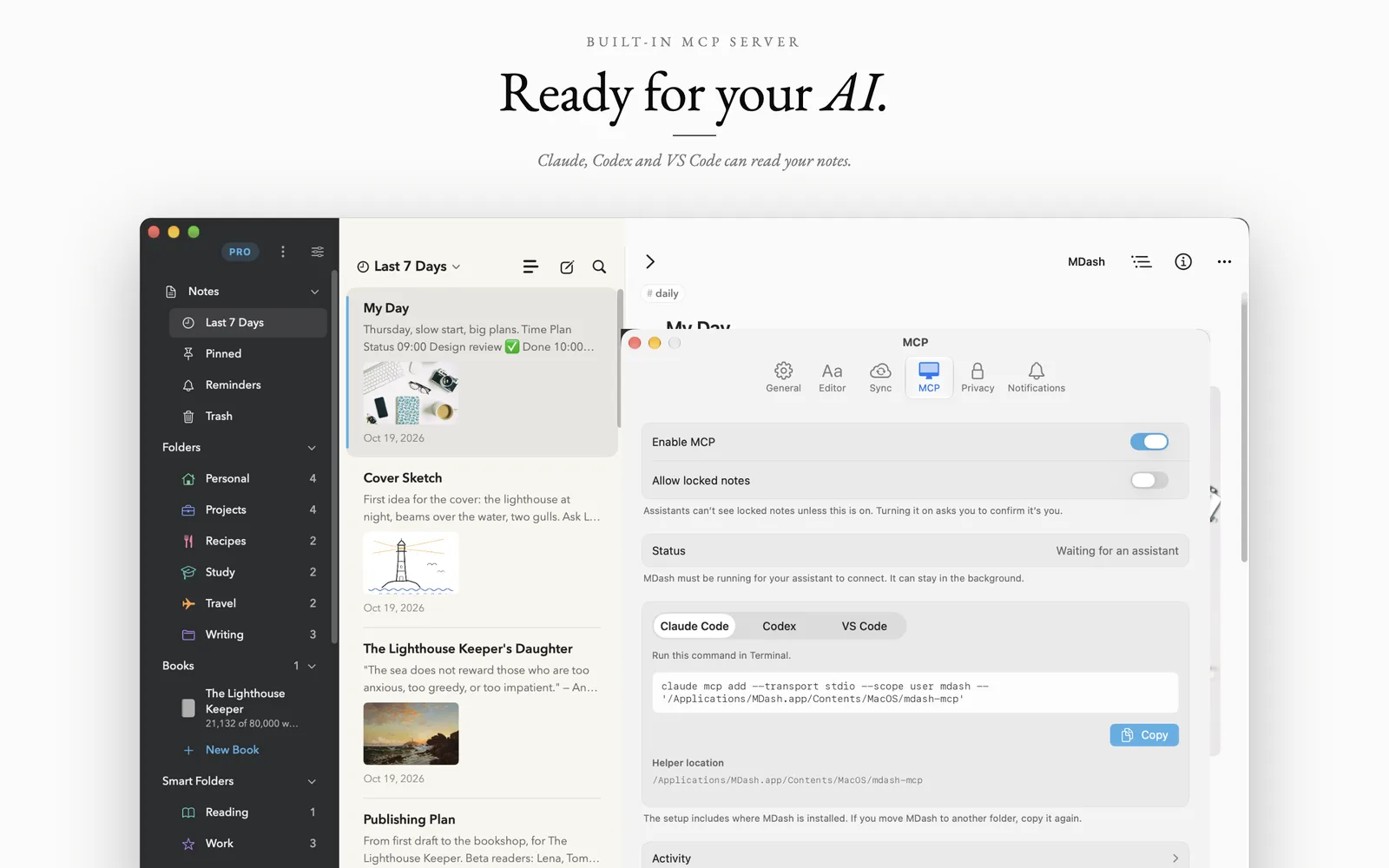
On Mac, MDash Pro includes a local MCP server for Claude, Codex, VS Code and other MCP clients. Your assistant can search, read, create and organize your notes. It cannot rewrite an existing note's text, and nothing goes through a server of ours.
iCloud Sync
Start on your Mac, finish on iPhone
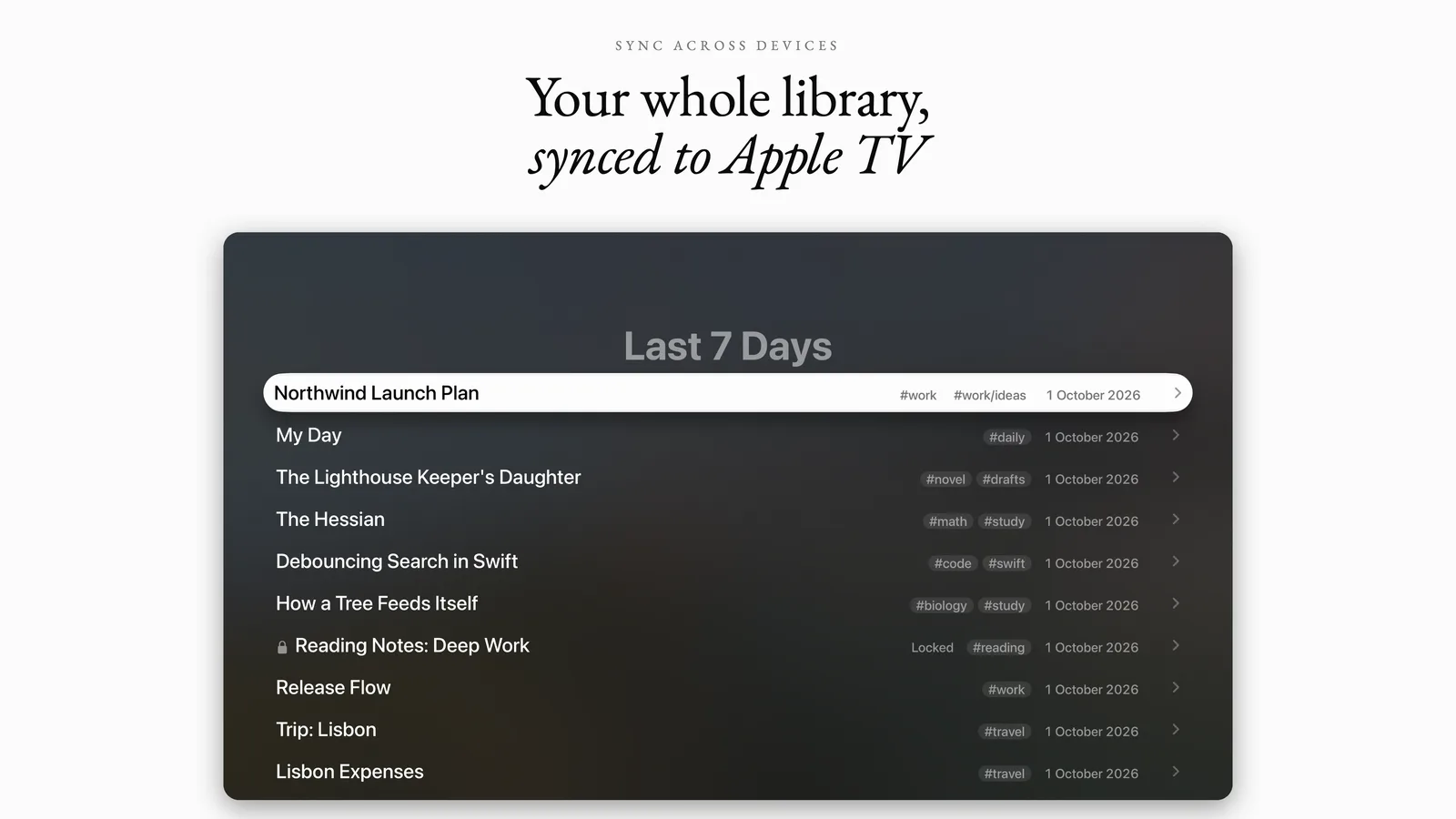
With MDash Pro, your library syncs through your own private iCloud database to iPhone, iPad, Mac, Apple Vision Pro, Apple Watch and Apple TV. Folders, tags, pins and the sort order come along.
Everything a writing app should do
Plain text underneath, a finished page on top, and nothing locked in.
Books
Chapters in groups, Notes & research, Characters & places, word goals and status dots, Read whole book, and export of the whole book. Free.
Comments
Leave yourself comments in any note. They show as a highlight and a bubble, can be resolved, and never reach an export or a word count.
Daily Target
Set a deadline or a fixed number of words a day for a book. MDash shows today's number, your progress and your streak.
MDash Mode
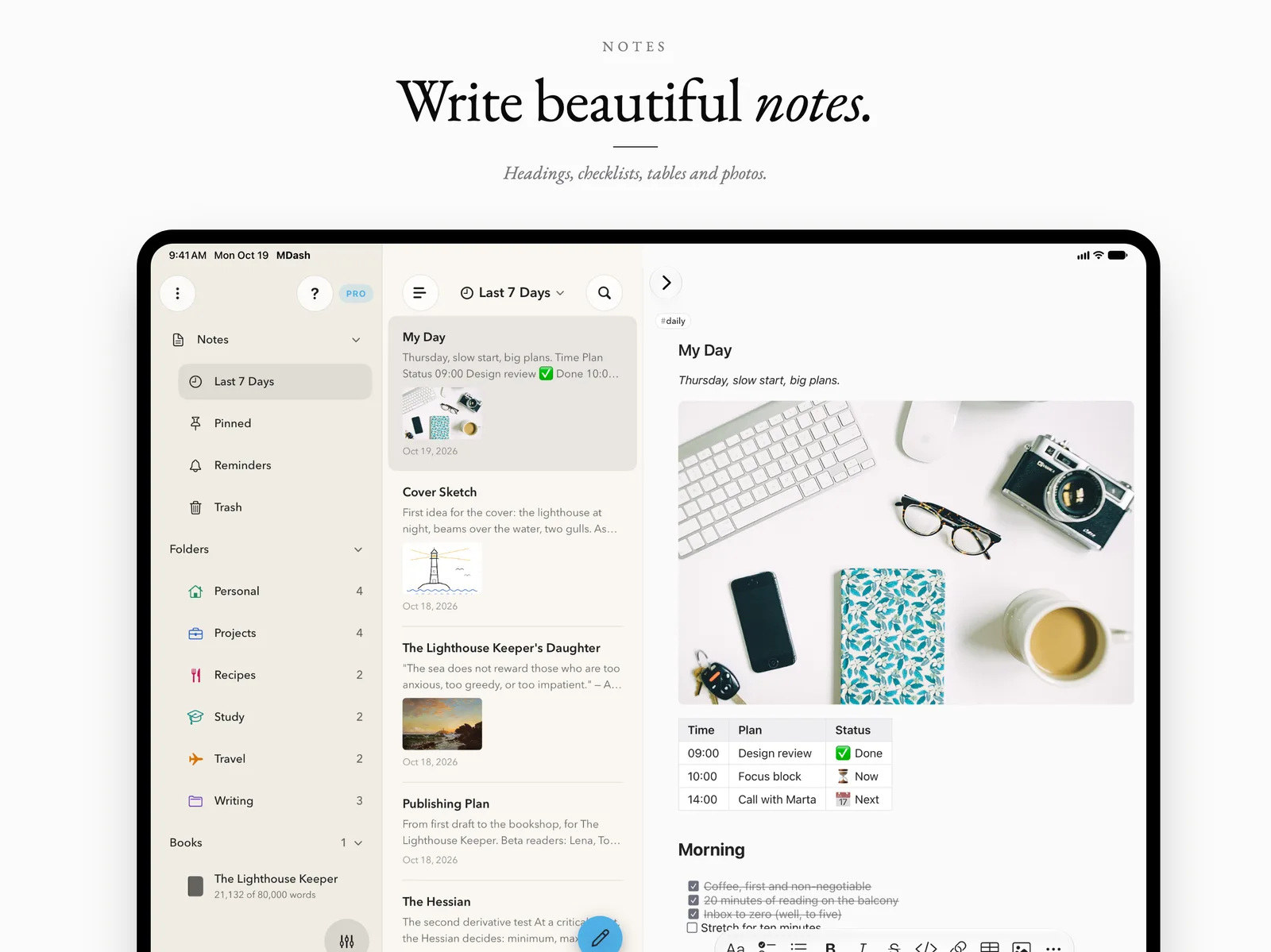
Headings, bold, checklists, tables, photos, math and diagrams take shape as you type. The note itself stays plain Markdown.
Mermaid Diagrams
Flowcharts, sequence diagrams, Gantt charts, mind maps and class diagrams drawn from plain text, rendered on device. Free.
LaTeX Math
Inline and block formulas in LaTeX render in the editor, the preview, exports, and on Apple Watch and Apple TV.
Wiki-Links & Backlinks
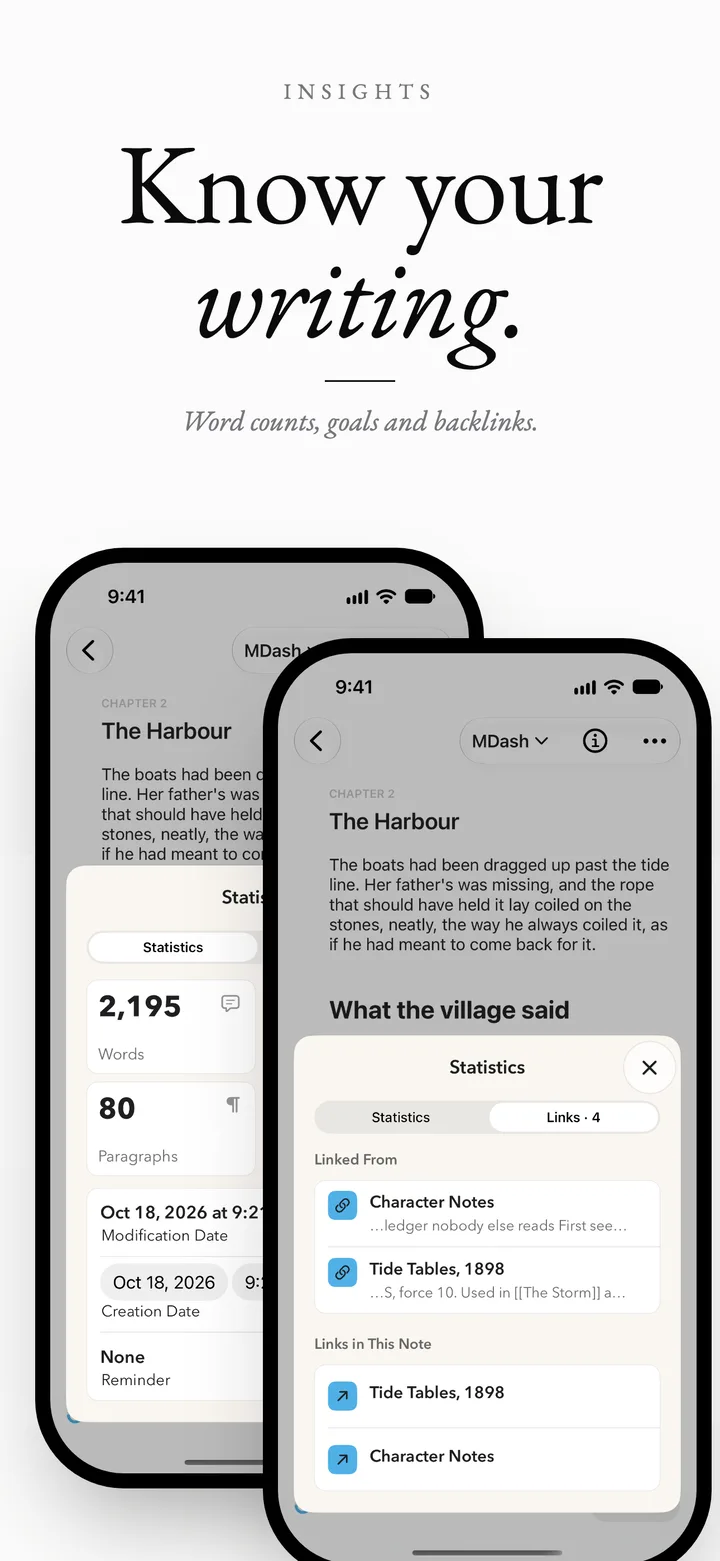
Link notes with [[Note title]], get suggestions as you type, and see every note that links back in the Links tab.
Split Mode & Live Preview
Write raw Markdown and watch it render side by side or top and bottom, with the preview following your cursor.
Syntax Highlighting
Code blocks in 20 languages, from Swift and Python to JavaScript, SQL and Rust, highlighted in the editor and in exports.
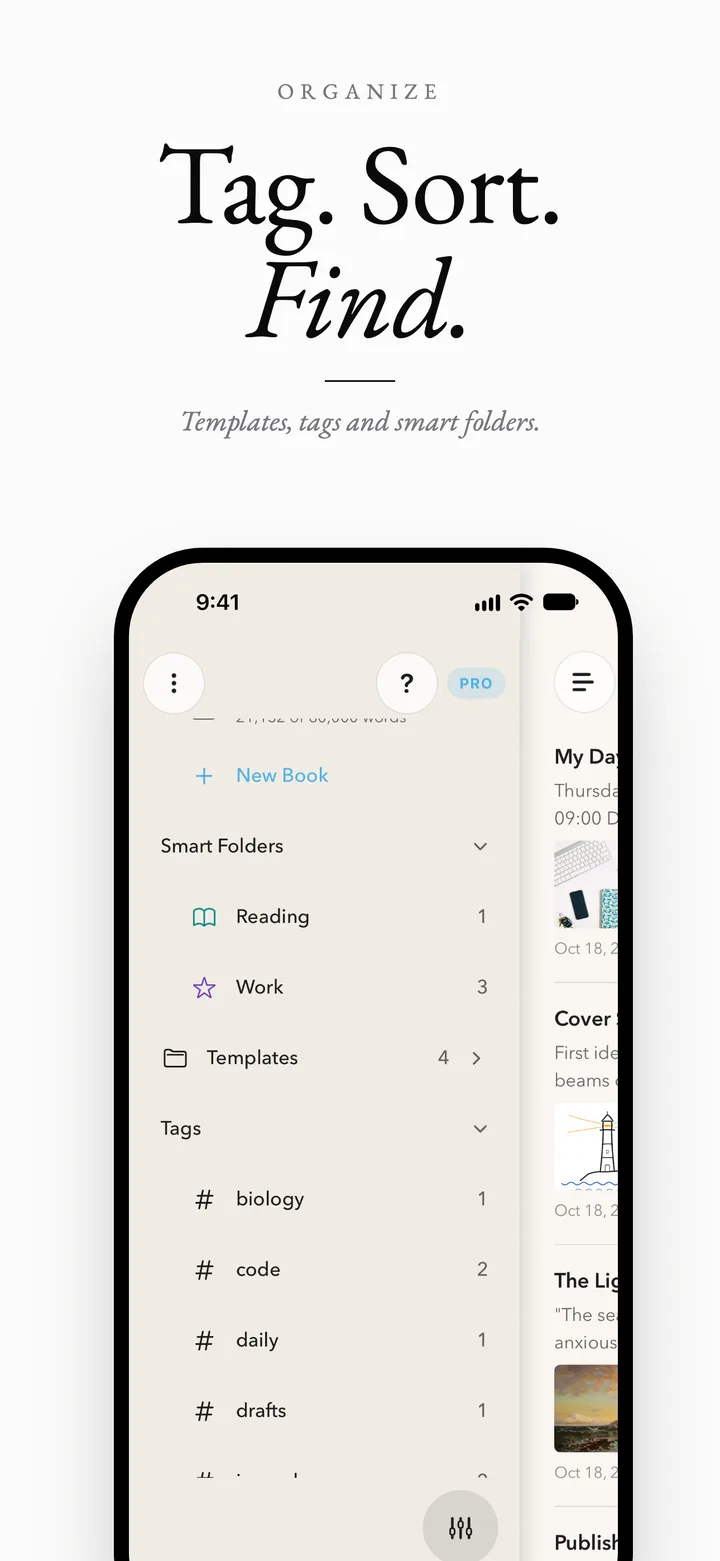
Folders, Tags & Smart Folders
Coloured folders with icons, tags, smart folders that fill themselves, pinned notes, an outline and sort by date or title.
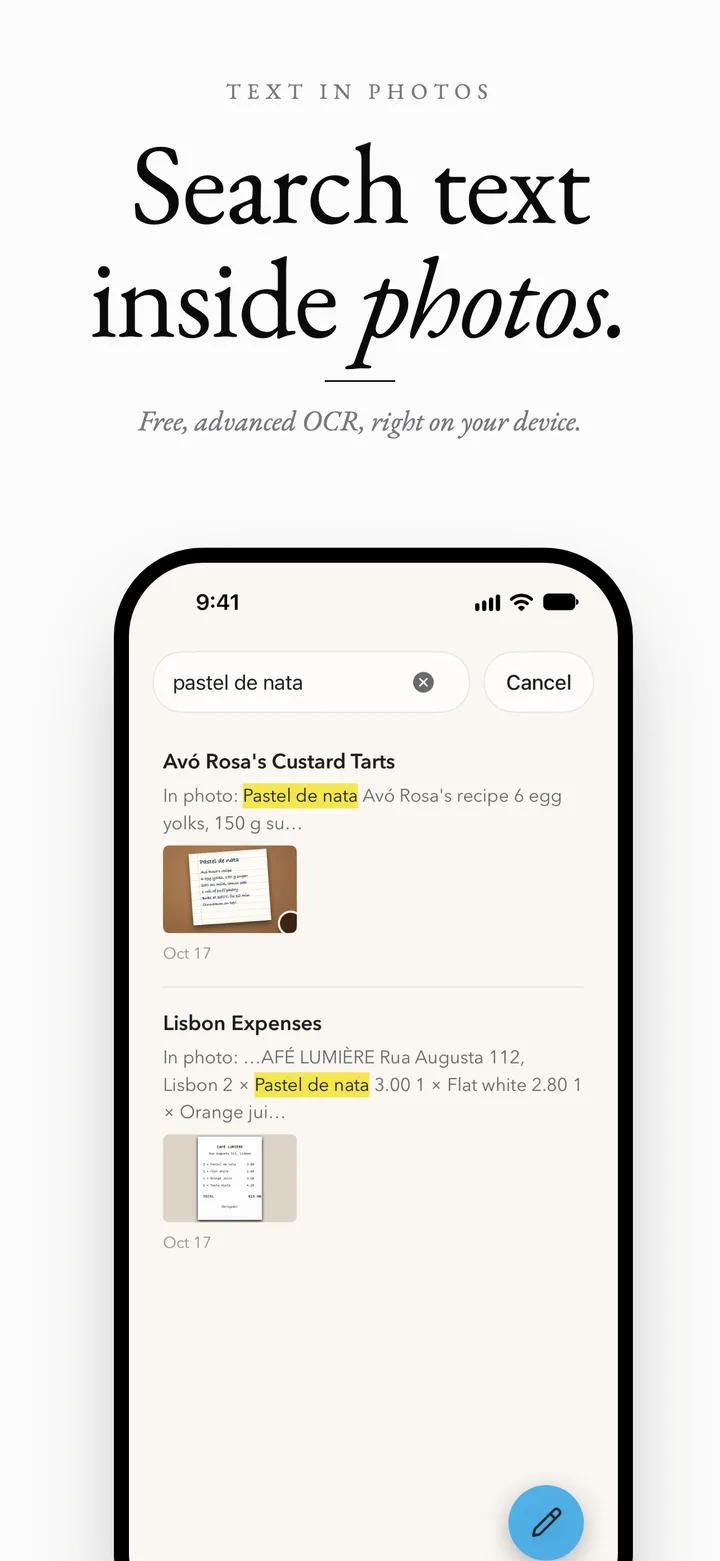
Search Text in Photos
Scan documents into a note and find any word inside photos, receipts and scans. On-device text recognition, free.
Locked Notes
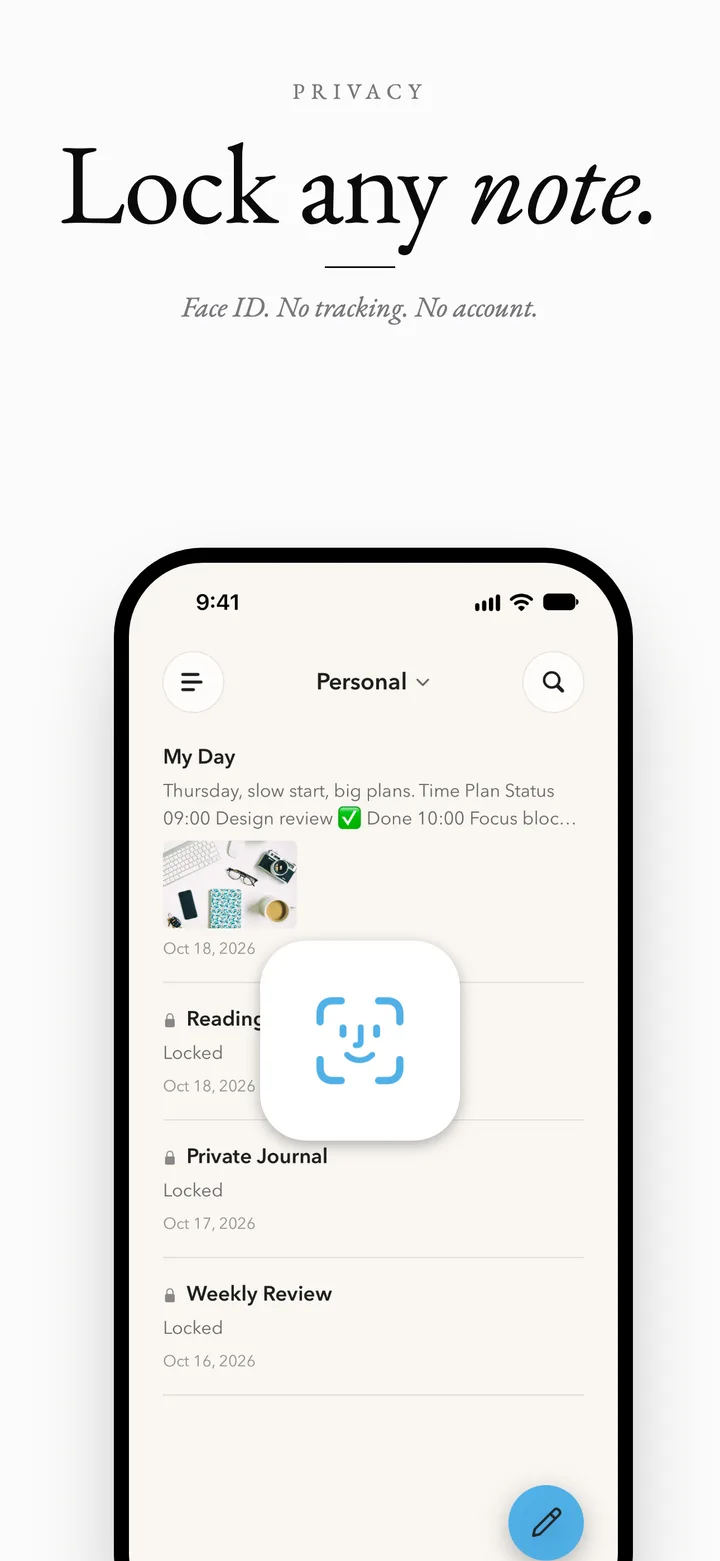
Lock private notes behind Face ID, Touch ID or Optic ID. Locked notes stay out of widgets and the Watch and TV readers.
Home Screen Widgets
A single note, a notes list, a note count and a checklist you can tick off right from the Home Screen.
Export Your Way
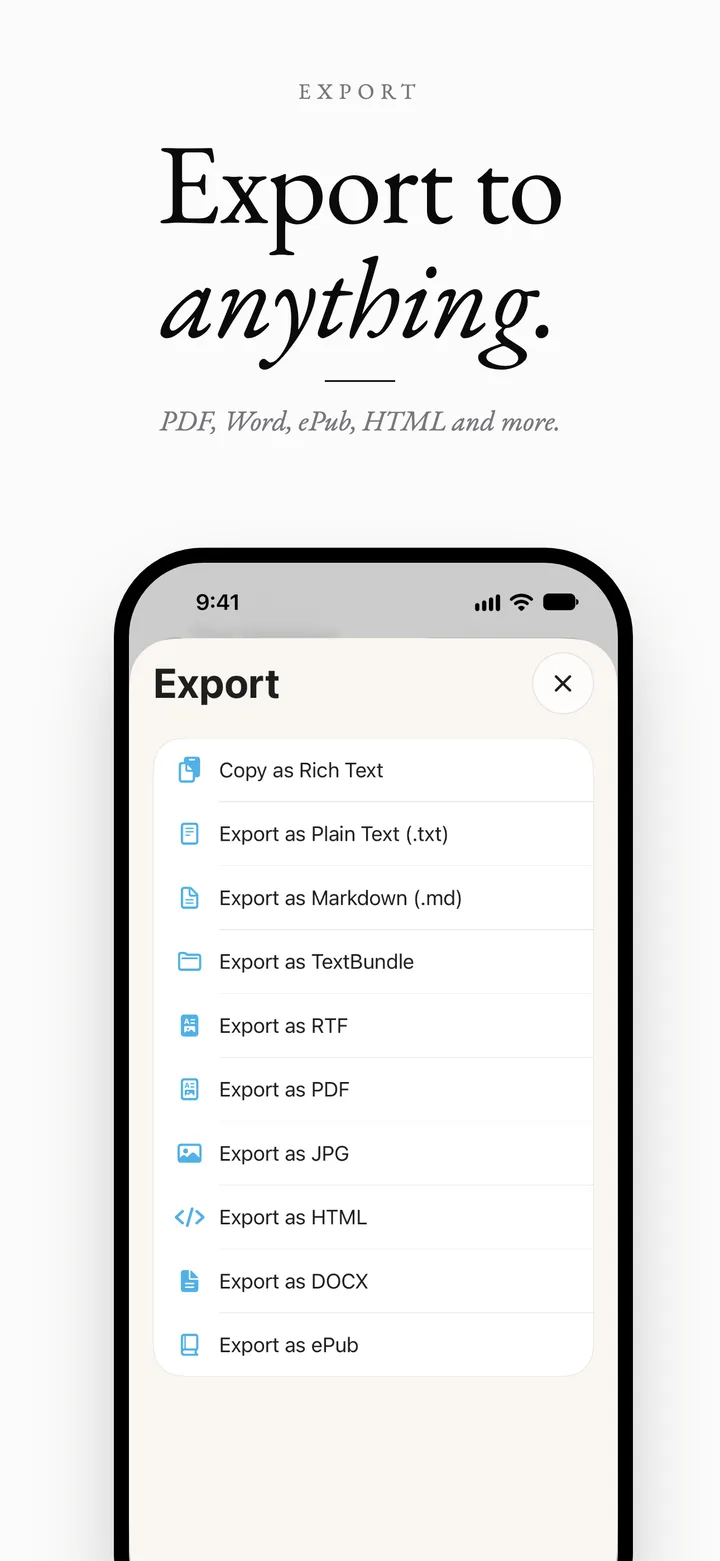
Markdown and plain text for free; PDF, Word (DOCX), ePub, HTML, RTF, JPG and TextBundle with MDash Pro.
Version History & Import
Restore earlier versions of any note, and import from Obsidian, Bear, Apple Notes, TextBundle or any Markdown folder.
One app for 6 Apple platforms
Buy MDash Pro once and it unlocks on every device signed in to your Apple Account.
iPhoneThe full editor with widgets, a tools keyboard, Siri and Shortcuts.
iPadThree-column library, Split mode and the floating formatting bar.
MacNative windows, menus, keyboard shortcuts and a built-in MCP server.
Apple Vision ProThe complete editor in a window with room to think. Optic ID locks notes.
Apple WatchBrowse folders and read notes, checklists and photos on your wrist.
Apple TVRead drafts, recipes and notes on the big screen.
Free to write. Pro when you need more.
Prices are shown in the app and on the App Store in your currency.
MDash
Free
The whole editor and Books, with no account.
MDash mode, Split mode and live preview
Books with comments and a daily target
Mermaid diagrams, LaTeX math and callouts
Folders, tags, smart folders and wiki-links
Sketches and note reminders
Photo text search, scanning and version history
Import from Obsidian, Bear and Apple Notes
Export to Markdown and plain text
MDash Pro
Yearly, monthly or lifetime
One purchase for every Apple device you own. All three options unlock the same features, and yearly starts with a 7-day free trial.
iCloud Sync across all your devices
Apple Watch and Apple TV readers
PDF, Word, ePub, HTML, RTF, JPG and TextBundle export
Watermark-free Mermaid diagrams
Locked notes and Home Screen widgets
Built-in MCP server on Mac
Questions people ask
Can I write a book in MDash?
Yes, and Books is free. A book is a list of chapters in groups such as Front Matter, Part One and Back Matter. Every chapter is an ordinary note, written in the same editor, with a status (To do, Draft, Revised, Done) and its own word goal, and you reorder chapters and groups by dragging them. Below the manuscript, Notes & research and Characters & places hold everything that isn't part of the book: they are never counted, read or exported. A character or place sheet lists the chapters that link to it.
How do word goals, daily targets and streaks work?
Give the book a word goal and each chapter its own, and the rings fill as you type. Turn on a daily target with a deadline and MDash works out how many words each day needs, or set a fixed number of words per day. Pick your writing days, and the book shows today's words, the days left and your streak. An optional reminder comes on writing days when today's target isn't met yet.
Can I leave comments that don't end up in the book?
Yes. Select some words and choose Comment, or add one at the cursor. Comments appear as small bubbles you can edit, resolve or delete, and the book screen lists every open comment across your chapters. They never reach Read whole book, an export or a word count. Comments work in every note, and they are stored in the note's plain text as CriticMarkup.
Can I read and export the whole book?
Yes. Read whole book shows the manuscript as one continuous, read-only scroll, chapter after chapter; tap a chapter title to edit it. Export turns the whole book into one file: Markdown and plain text are free, and EPUB, DOCX and PDF need MDash Pro. Those three come in a Classic, Modern or Manuscript style, with a title page, a table of contents and a heading for each chapter.
Do my books sync between my devices?
Yes, with MDash Pro and iCloud Sync. Books, chapter order and status, goals, daily targets and comments come along on iPhone, iPad, Mac and Apple Vision Pro. Install MDash 6.3 or later on each device, because older versions show chapters as ordinary notes. Apple Watch and Apple TV don't show books.
Is MDash a real Markdown editor, or does it store notes in its own format?
Every note is plain Markdown. MDash mode only changes how the text looks on screen, and you can export any note as a .md file at any time.
Is MDash free?
Yes. Writing, Books, comments, the daily target, MDash mode, Split mode, sketches, note reminders, Mermaid diagrams, math, folders, tags, search and Markdown export are free. MDash Pro adds iCloud Sync, the Apple Watch and Apple TV readers, more export formats, locked notes, widgets and the Mac MCP server, as a yearly subscription with a 7-day free trial, a monthly subscription, or a one-time lifetime purchase.
Which devices does MDash run on?
iPhone, iPad, Mac and Apple Vision Pro run the full editor. Apple Watch and Apple TV are readers for your synced notes. One App Store purchase covers them all.
Can I draw Mermaid diagrams on iPhone?
Yes. Write a mermaid code block and MDash renders flowcharts, sequence diagrams, Gantt charts, class and state diagrams and more, offline, on iPhone, iPad, Mac and Vision Pro.
Can I move my notes from Obsidian, Bear or Apple Notes?
Yes. Import loose files, whole folders such as an Obsidian vault or an Apple Notes export, TextBundle and TextPack packages, and Bear backups, for free. Attachments, dates, tags and folders come along.
Does MDash work offline? Where are my notes stored?
MDash works fully offline. Notes live on your device; if you turn on iCloud Sync, they also go to your own private iCloud database. There is no MDash account, no tracking and no server of ours.
Which formats can I export to?
Markdown (.md) and plain text (.txt) are free, and you can copy any note as rich text. MDash Pro adds PDF, Word (DOCX), ePub, HTML, RTF, JPG and TextBundle. Mermaid diagrams, math and code highlighting carry through to the exported file.
Can I lock private notes?
Yes, with MDash Pro. Lock any note behind Face ID, Touch ID, Optic ID or your device passcode. Locked notes stay out of widgets and the Apple Watch and Apple TV readers, and in iCloud their content is stored in encrypted fields.
Are there Home Screen widgets?
Yes. MDash Pro includes five widgets: a single note, a notes list, a note count, a checklist you can tick off without opening the app, and upcoming reminders you can mark done from the Home Screen. Tap a widget to jump straight to the note.
Can I read my notes on Apple Watch and Apple TV?
Yes. With MDash Pro and iCloud Sync, Apple Watch and Apple TV show your whole library, including folders, photos, checklists, code, math and callouts. Both are read-only, so you write on iPhone, iPad, Mac or Vision Pro.
Can I get back an earlier version of a note?
Yes, and it's free. Version History keeps earlier versions of every note on your device. Open a note's ⋮ menu, pick a version, then copy it, restore it as a new note, or put it back in place. Replacing the note keeps the current text in the history too.
How does the MCP server work?
On Mac with MDash Pro, Settings ▸ MCP gives you a command to add to Claude Code, Codex, VS Code or another MCP client. The assistant talks to MDash locally on your Mac and can search, read, create and organize notes, but never rewrite an existing note.
 Night Code Apps